
4.35Settings
The Configurator's Settings dialog (Autosave and About), and where the gateway details, the app users and the deploy token are edited.
The Settings button in the toolbar opens a small dialog with two parts: Autosave and About. The gateway details, the app users and the deploy token are not here. They are part of the project and are edited under Server > Gateway, described on the Gateway page.
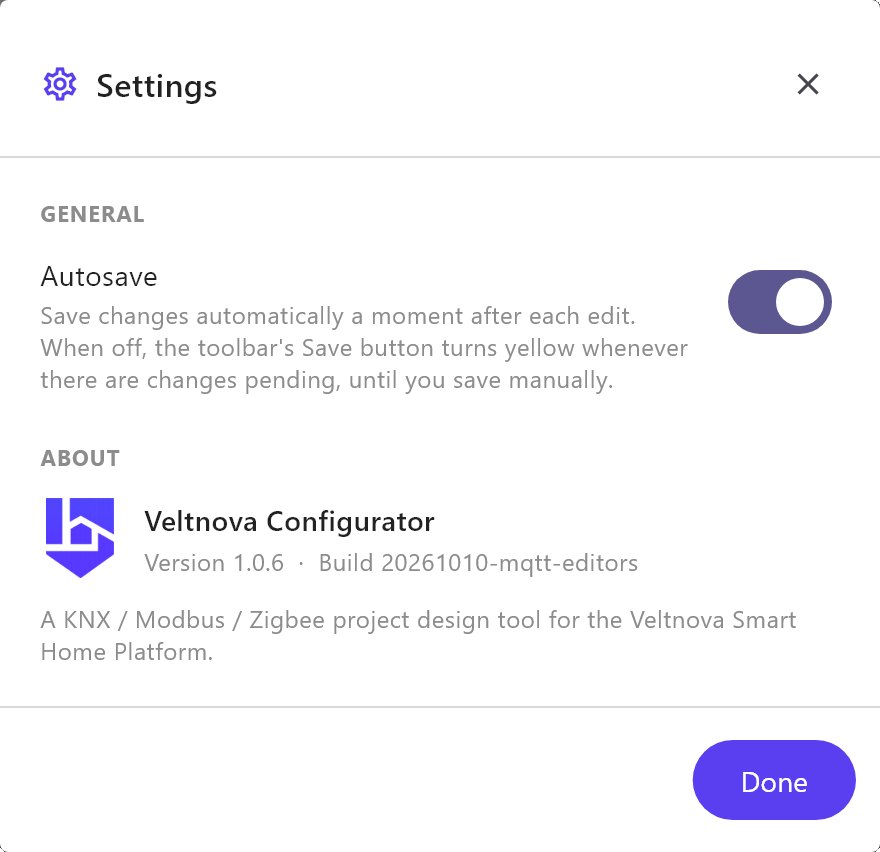
#Autosave
| Control | What it does |
|---|---|
| Autosave | On by default. The Configurator saves the project a moment after each edit. When it is off, the toolbar's Save button turns yellow whenever there are changes that are not saved yet, and stays yellow until you save by hand. |
Turn Autosave off if you want to try changes and throw them away by not saving. Otherwise leave it on. Autosave saves the project file on your PC. It does not deploy anything to the gateway. See Deploying to a gateway.
#About
Shows the Veltnova Configurator logo, its Version and its Build date. Quote the version when you contact support. Click Done to close the dialog.
#Where the other settings are
| What you look for | Where it is |
|---|---|
| Gateway address, KNX address, location, timezone, cloud connection policy | Server > Gateway. See Gateway. |
| App users, their passwords, PINs, SIP extensions and idle return | Server > Gateway > Users. See Gateway. |
| Deploy token (the pairing with the gateway) | Server > Gateway > Deploy Token. See Gateway. |
| Panels, pages and their default size | Panel Studio in the toolbar. |