
4.27AC manager
The gateway service that reads and controls Daikin VRV indoor units through the Daikin Modbus adapter on RS485, for the AC Panel.
The AC Manager is the service behind the AC Panel. It names the Daikin adapter you added as a Modbus RTU device and lists the indoor units to poll. The gateway then reads each unit's status and sends on/off, mode, set point and fan commands.
#What it does
- Polls the status of every configured indoor unit: on/off, mode, set point, room temperature, fan speed, warning and malfunction flags and the error code.
- Sends control commands from the AC Panel to one unit, or to all units one after another.
- Resets the filter warning of a unit.
It works only with the Daikin VRV Home Automation I/F (D3net) Modbus adapter. It does not control other air conditioners.
#Before you enable it
- Open Server > Interfaces > RS485 Interface, turn Enabled on and set the serial parameters of the adapter (see RS485 interface).
- Under Configure RTU Devices add a device with the driver Daikin - Daikin VRV Home Automation I/F and the adapter's Slave ID. Leave the device's own Enabled switch on. The timeout of this device (default 1000 ms) is the one used for all AC reads and writes. See Modbus devices and datapoints.
- Know the D3net group and unit number of every indoor unit.
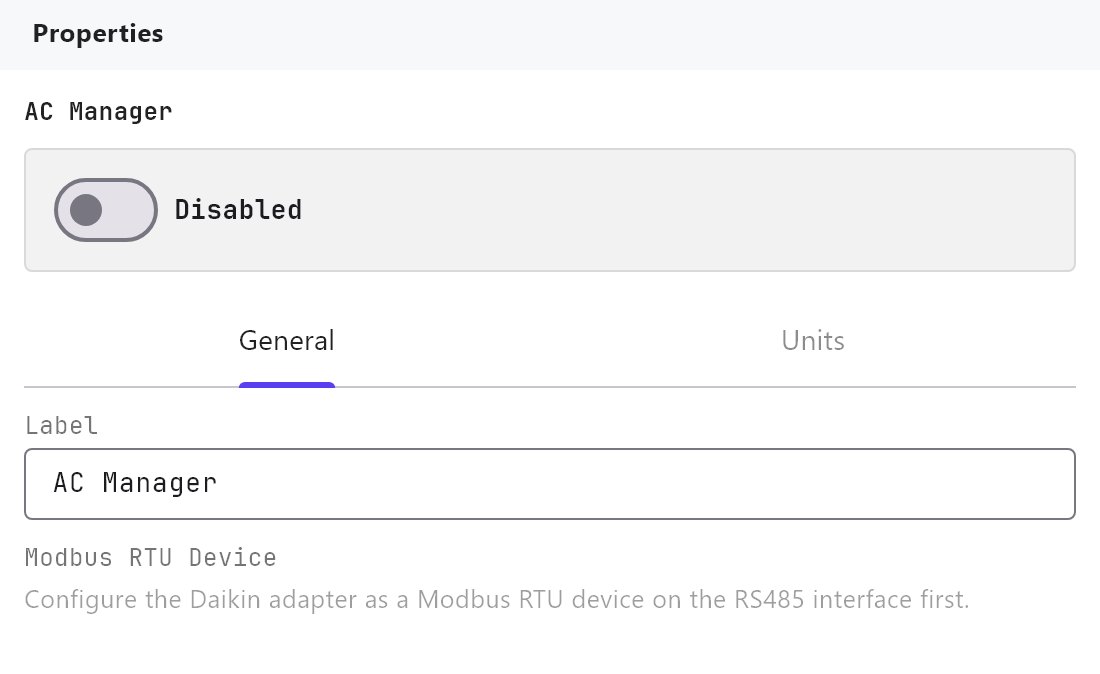
The AC Manager lists RS485 devices only. If the list is empty, the message "Configure the Daikin adapter as a Modbus RTU device on the RS485 interface first." is shown.
#Settings
Open Server > Internal services > AC Manager. Enabled is Off by default.
#General tab
| Setting | What it does |
|---|---|
| Label | Name of the service in the Configurator. Default AC Manager. |
| Modbus RTU Device | The Daikin adapter, listed as name (slave N). Nothing is polled until one is chosen. |
#Units tab
| Setting | What it does |
|---|---|
| Number of Indoor Units | 0 to 64, default 0. Adding units appends new ones; lowering the number removes units from the end of the list. |
| Configure Units (N) | Opens the Indoor Units Editor with Add, Clone, Remove, Up and Down. |
| Name | The unit's name in the apps. Default AC Unit-1, AC Unit-2 and so on. |
| Group | 1 to 4. The D3net address group. Default for new units: 1 for the first 16, then 2 and so on. |
| Unit | 00 to 15. The unit number inside the group. |
| Address | Read-only, for example 1-03. Group and Unit as the Daikin adapter lists them. |
New units are numbered in order, so unit 1 is 1-00, unit 2 is 1-01, and unit 17 is 2-00. Change Group and Unit if the installation is not numbered that way.
#How it works on the gateway
- Polling: the gateway reads each unit's 6 status registers in turn with the other Modbus devices on the same port. The cycle time is 2 seconds by default and cannot be changed in the Configurator. A device that does not answer does not block the others.
- Addresses: a unit's registers come from its group and unit number: status at input register 2006 plus 6 for each unit, control at holding register 2003 plus 3 for each unit, counted group by group with 16 units per group.
- Control: a command from the app reads the unit first if its stored status is old, writes the 3-register control block, then reads the unit back so the app shows the real state. Timed-out transactions are retried up to 3 times. The set point is limited to 16 to 32 degrees.
- All units: the panel's global set temperature is sent to the units one at a time, so a large system takes many seconds.
- Filter reset: writes the reset value, waits three-quarters of a second, then writes it back to zero.
- Status is pushed to the open apps whenever it changes.
#Example
A villa with 6 indoor units on adapter slave 1:
- RS485 Interface: Enabled on, device
Daikin VRV, driverDaikin - Daikin VRV Home Automation I/F, Slave ID1. - AC Manager: Enabled on, Modbus RTU Device
Daikin VRV (slave 1). - Units tab: Number of Indoor Units
6. In Configure Units rename themLiving,Kitchen,Master bedroom,Bedroom 2,Bedroom 3,Majlis(Group1, Units00to05). - Add an AC Panel to a page and deploy.
#Tips and common problems
- All units show "--": RS485 is not enabled, the Slave ID or serial settings do not match the adapter, no Modbus RTU Device is chosen, or the device's own Enabled switch is off.
- A command says "No Modbus RTU device configured for the AC adapter.": the General tab has no device selected.
- Wrong unit responds: Group and Unit do not match the Daikin addressing.
- Slow cycle: the driver adds starter datapoints that are polled like any other datapoint. The AC Manager does not need them, so turn their Poll off or delete them to shorten the cycle.