
3.27Scene
A one-tap icon that writes a one-bit value to a KNX group address, normally used to trigger a scene stored in a KNX actuator.
The Scene object is an icon on the page. When someone taps it, the app sends a one-bit KNX write to the object's group address. The scene itself, and what it does, lives in your KNX devices: the Scene object only sends the trigger.
#When to use it
Use it for "All lights off", "Cinema" or "Leaving home" buttons when a KNX device (or a logic module) already runs the scene from a single one-bit group address. If the trigger needs a different value, such as a scene number, see the tips below.
#What you need first
- A one-bit KNX group address that starts the scene. If you imported the ETS group address list, the field offers autocomplete (see KNX basics).
- The KNX engine enabled on the gateway.
#Properties
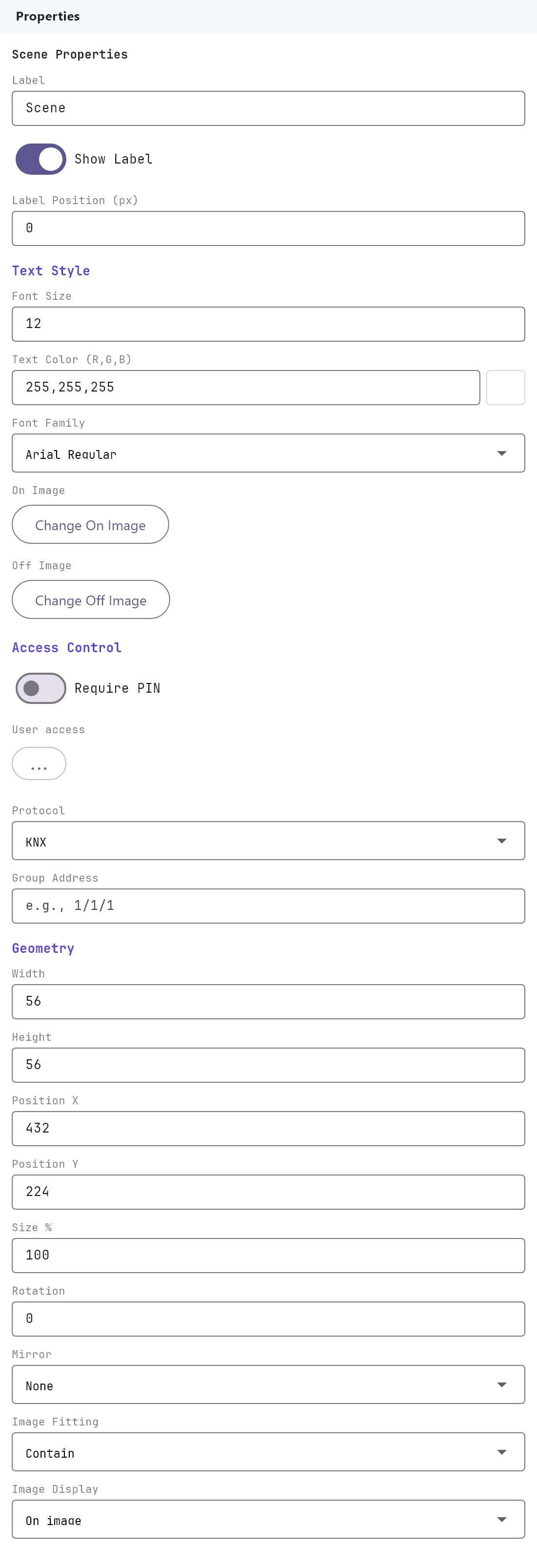
Label, Show Label, Label Position, Text Style, On Image, Off Image, Access Control and the Width, Height, Position X, Position Y, Size %, Rotation, Mirror, Image Fitting and Image Display fields work as described in Common properties. A new Scene object is 56 by 56 and uses the built-in Scene icon for both On Image and Off Image.
| Property | What it does |
|---|---|
| Protocol | KNX (default), Zigbee, WiFi or MQTT. Only KNX does anything when tapped: with any other protocol the Veltnova client does nothing. |
| Group Address | For KNX, the group address written on every tap, in the form 1/1/1. The field is empty by default. For the other protocols the field changes to a Zigbee device picker or a device id box. |
#How it behaves in the apps
- Tapping the Scene sends a one-bit write (DPT 1.001) to the Group Address. The value alternates: the first tap sends
1, the next sends0, and so on. The object remembers the last value it sent or saw on the bus for that address; there is no separate status address. - The On Image is shown while the remembered value is on, and the Off Image while it is off. Because both default to the same Scene icon, you will not see a change unless you pick different images.
- If the Group Address is empty, the tap does nothing.
#Example
A "Goodnight" button:
- Add a Scene object to the page and set Label to
Goodnight. - Protocol:
KNX. Group Address:5/0/1(the one-bit group address your actuator uses to start the goodnight scene). - Under On Image and Off Image, choose a moon icon from the gallery for both.
- Deploy and tap it in the app. Open the gateway console's Monitor tab to see
5/0/1receive1, then0on the next tap.
#Tips and common problems
- To trigger a numbered KNX scene (DPT 17), the Scene object cannot help: it only writes one bit. Do not rely on the Action Button command Write KNX Scene Number (DPT 17) either, because the current apps do not execute it. Use a one-bit group address in the KNX device instead.
- If nothing happens on a tap, confirm the Protocol is KNX and the Group Address is filled in, then watch the gateway console's Monitor tab.
- The icon does not toggle visibly unless the On Image and Off Image differ.