
3.12Watering Panel
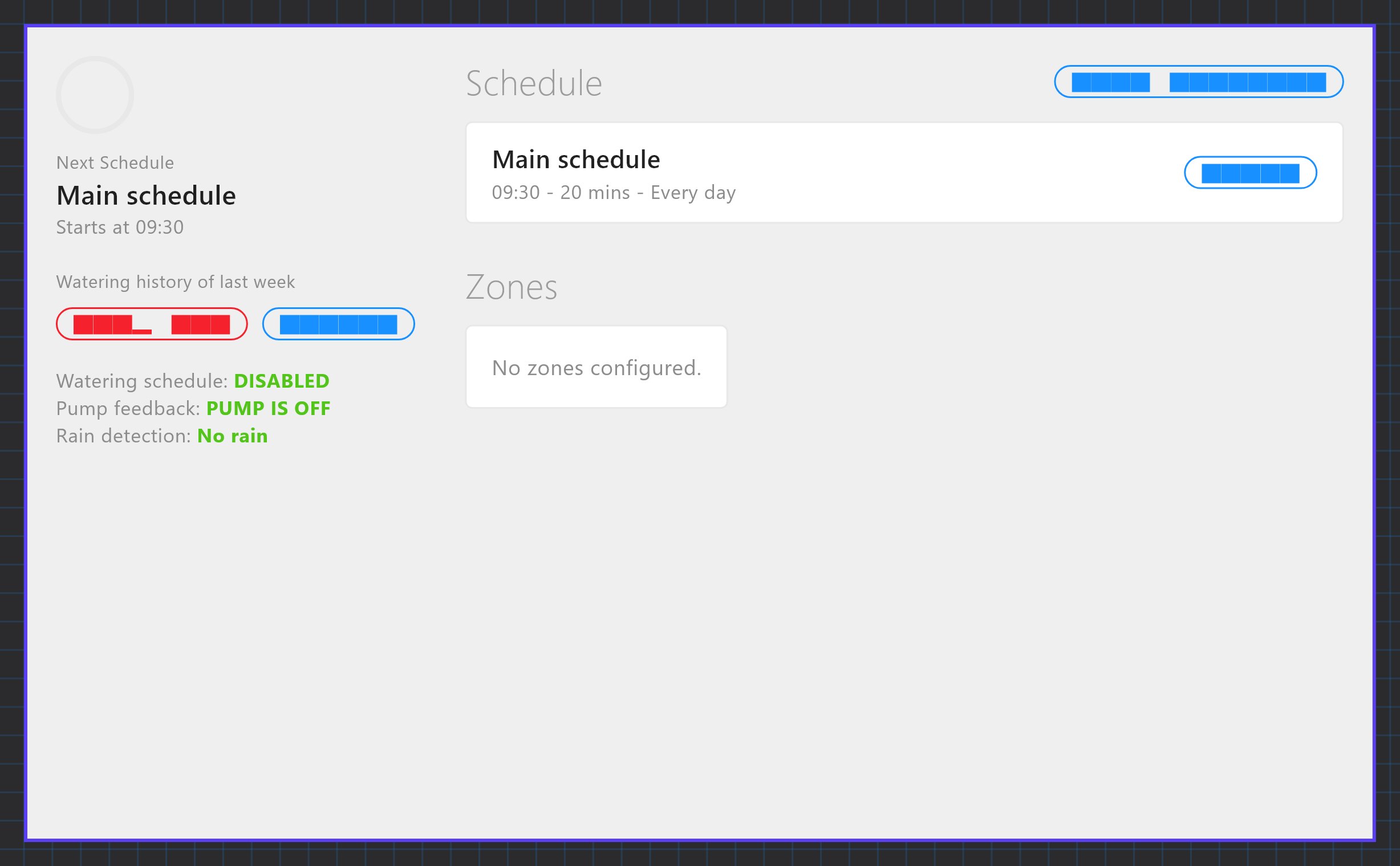
A full-screen irrigation page with zones, schedules, a countdown, rain status and a weekly watering history, run by the Watering Manager.
The Watering Panel is the irrigation page of the dashboard. It lists your watering zones and schedules, shows what is running now and what is next, and lets the user start, stop, enable and disable watering. The panel itself has almost no settings: everything it shows and does comes from the Watering Manager.
#When to use it
Use it when the site has irrigation valves or a pump driven by KNX actuators and you want timed watering with a rain lockout. Put the panel alone on its own page. In the apps it fills the whole screen, so other objects on the same page are not usable (the Veltnova client shows only the panel).
#What you need first
The panel is fed by Server > Internal services > Watering Manager. Turn Enabled on there, set it up as below, and deploy. Scheduled runs only start while the Watering Manager is enabled. The KNX engine must also be enabled (see KNX basics for installers).
General tab
| Field | What it does |
|---|---|
| Label | Name of the service in the Configurator. |
| Safety Delay (seconds) | 0 to 120, default 2. The wait after a valve is opened or before it is closed. The gateway never uses less than 5 seconds. |
| Use Pump Control | Off by default. When on, the pump is switched on after the first valve has opened and off after the last zone ends. |
| Pump KNX Group | The group address that switches the pump (on/off). Shown when Use Pump Control is on. |
| Pump Feedback Group | Optional status address of the pump. When set, the panel shows "Pump feedback: PUMP IS ON / PUMP IS OFF". |
| Active Zone Status GA | Optional group address that receives the number of the zone that is running (1, 2, 3 and so on) and 0 when watering stops. It is sent as a 1-byte unsigned counter (DPT 5.010). |
| Use Rain Detection | Off by default. Turns on the rain lockout. |
| Rain KNX Group | The group address of the rain sensor. |
| Rain Detected Value | 1 means rain detected (default) or 0 means rain detected. |
Zones tab: click Configure Zones (N). Each zone has a Name (default Zone-1), a KNX group (the valve actuator's on/off address), an optional Feedback group (the actuator's status address) and a Default runtime (min) from 1 to 1440, default 10. Use Add, Clone, Remove, Up and Down to manage the list. A zone without a KNX group is ignored, and zones run in list order.
Schedules are not set in the Configurator. The user creates them in the app with Edit Schedule.
#Properties
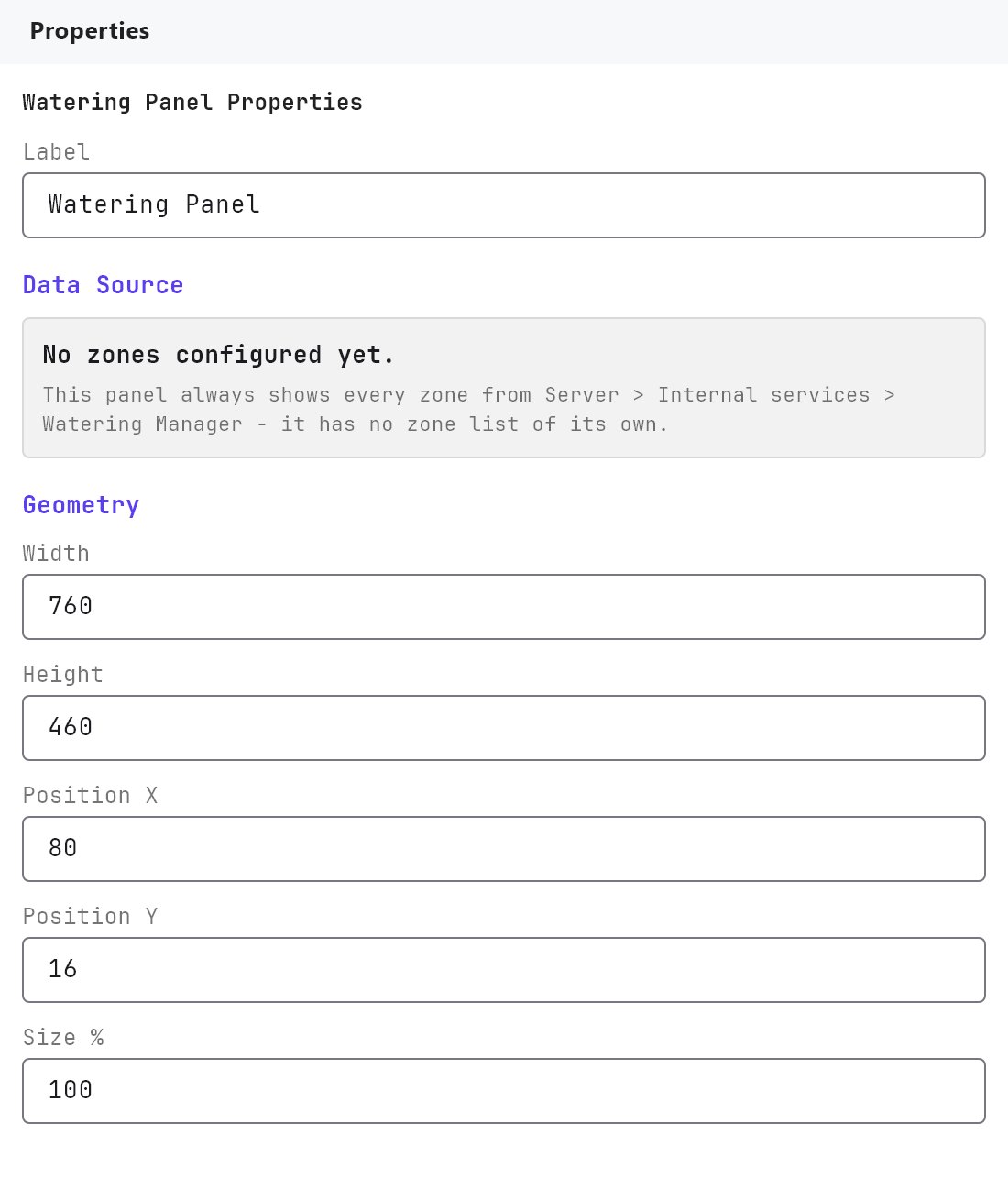
The Watering Panel has no Text Style, Protocol or image fields. It has only these, described in Common properties:
| Property | What it does |
|---|---|
| Label | A name for the object in the Configurator. It is not shown in the apps. |
| Require PIN, User access | The Access Control fields. |
| Width, Height | Default 760 by 460. Used only for the preview in the editor. |
| Position X, Position Y, Size % | Editor placement. In the apps the panel fills the screen. |
#How it behaves in the apps
- Left column: a ring with the time left for the running zone ("Watering now", or Idle), the next schedule or the next zone, the watering history of the last 7 days (minutes per day), Stop All, Disable / Enable, and the status lines: "Watering schedule: ENABLED / DISABLED", pump feedback (only when Use Pump Control is on) and rain detection (only when Use Rain Detection is on). A Rain suspend box sets 1 to 168 hours, default 6.
- Schedule pane: Edit Schedule adds, renames, enables and removes schedules (up to 24), each with a start time (default 09:30) and days of the week (default every day). Start runs the schedule's enabled zones now. Disable / Enable in the left column switches the first schedule only.
- Zones pane: each zone shows its feedback state, an Enabled or Disabled tag and its runtime. Start runs that zone alone for its Default runtime. Disable / Enable changes the zone.
- A run: zones open one after another in list order. The next valve opens before the previous one closes, so the pump never runs against closed valves. If a zone has a Feedback group and it does not report open, the run stops, the pump is switched off and all zones are closed.
- Rain: if rain is detected when a schedule is due, that schedule is suspended for the Rain suspend hours and then tried again. If rain is detected while watering, everything stops after 5 minutes of continuous rain.
- Schedules, zone enable states and Rain suspend are saved on the gateway.
#Example
A garden with 4 valves and a booster pump:
- In the Watering Manager, set Enabled on, Safety Delay (seconds)
5, Use Pump Control on, Pump KNX Group1/1/10, Pump Feedback Group1/1/11. - Turn Use Rain Detection on, Rain KNX Group
1/1/20, Rain Detected Value1 means rain detected. - Under Configure Zones, add
Lawn(1/1/1, feedback1/1/2,15min),Beds(1/1/3, feedback1/1/4,10min),Hedge(1/1/5, feedback1/1/6,8min) andTrees(1/1/7, feedback1/1/8,12min). - Add a Watering Panel on a page called
Garden, deploy, then create a schedule in the app:Morning, 06:00, all days.
#Tips and common problems
- Nothing starts at the scheduled time: check that the Watering Manager is Enabled, the project is deployed, and the zone has a KNX group.
- A run stops right after the first valve: the zone has a Feedback group that never shows open. Fix the status address, or clear it.
- The pump never starts: Use Pump Control must be on and Pump KNX Group filled in.
- Watering is skipped on a dry day: check the Rain Detected Value. If the sensor sends 0 for rain, choose
0 means rain detected.